One robot,
many ways to work
Start with a single magnetic-tape line, then add capability as the job grows — remotes, station selection, PLC control, branch paths, right up to a lifting unit. Every model is configured from the mobile control app
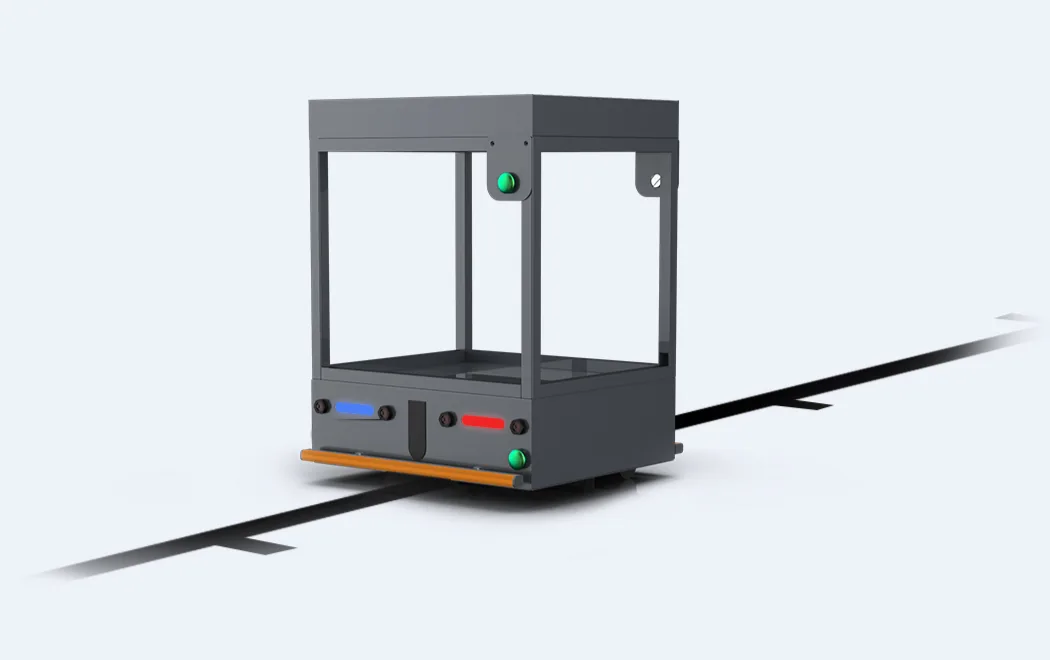
Standard — single line or loop
The robot follows a single tape line or a closed loop with as many stops as you need. Travel speed, cornering speed and the deceleration zone before each stop are set in the app. Start by button on the robot or on a timer
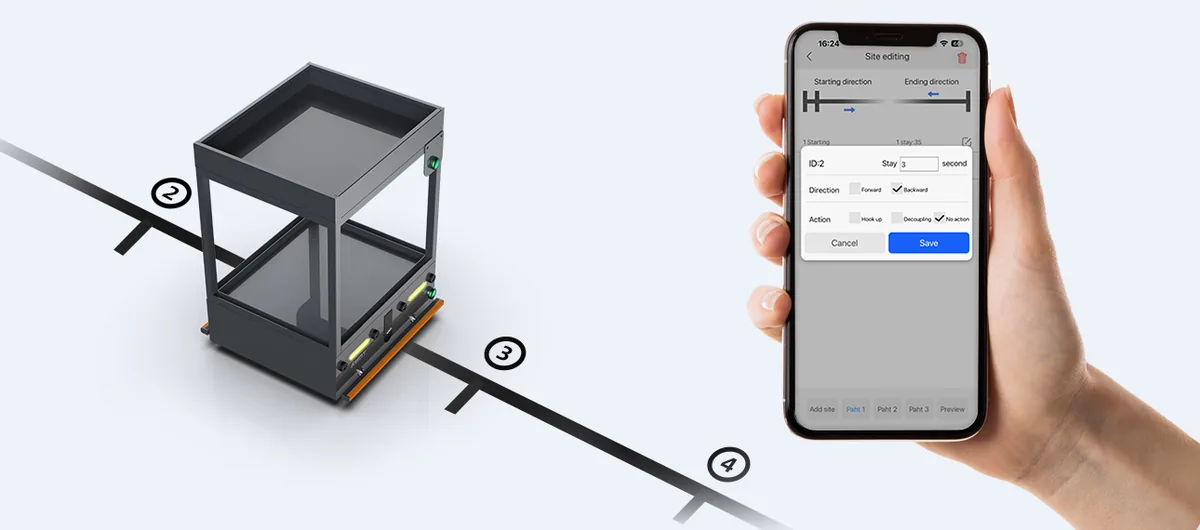
Station Task — behaviour per station
Switch on multi-station mode in the app and set each stop individually: how many seconds to dwell, and whether to leave forwards or in reverse. Ideal for lines where loading time differs from station to station
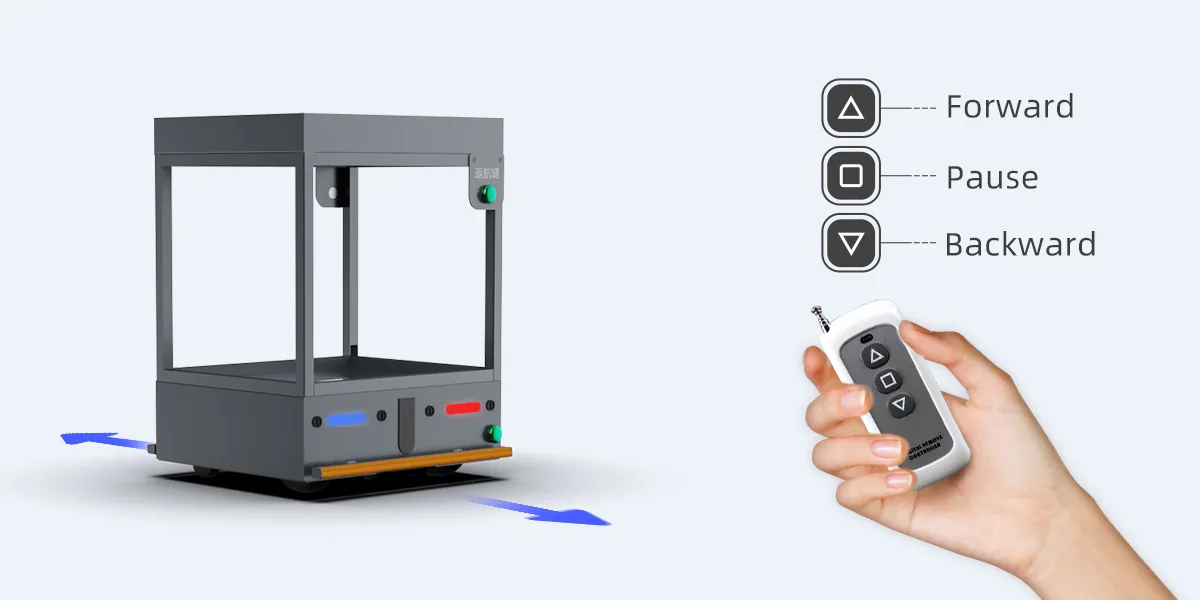
3-key remote
Add a wireless 3-key remote — forward, stop, back — so a line leader can drive the robot from a distance, or use the USB → 433 MHz converter to send the same commands from a PC
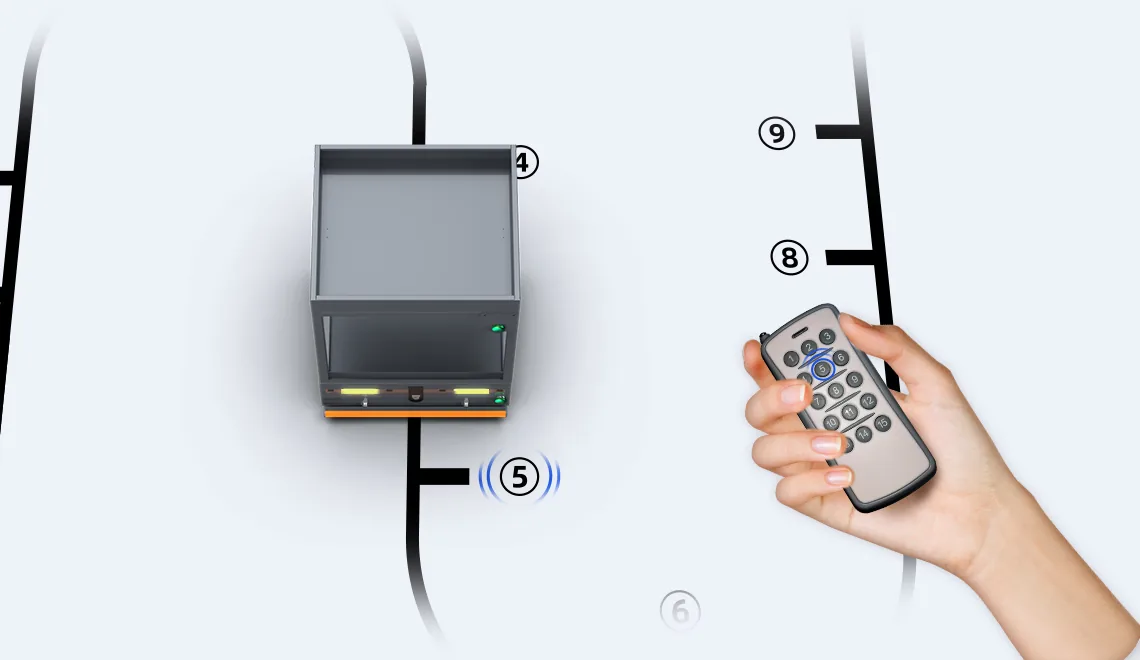
Designated stop with the 15-key remote
Once the robot has learnt the route and each station is paired with a number key, press the station number and the robot drives there and stops. Or use Mission Mode in the app to script a sequence of stations that runs automatically in a cycle
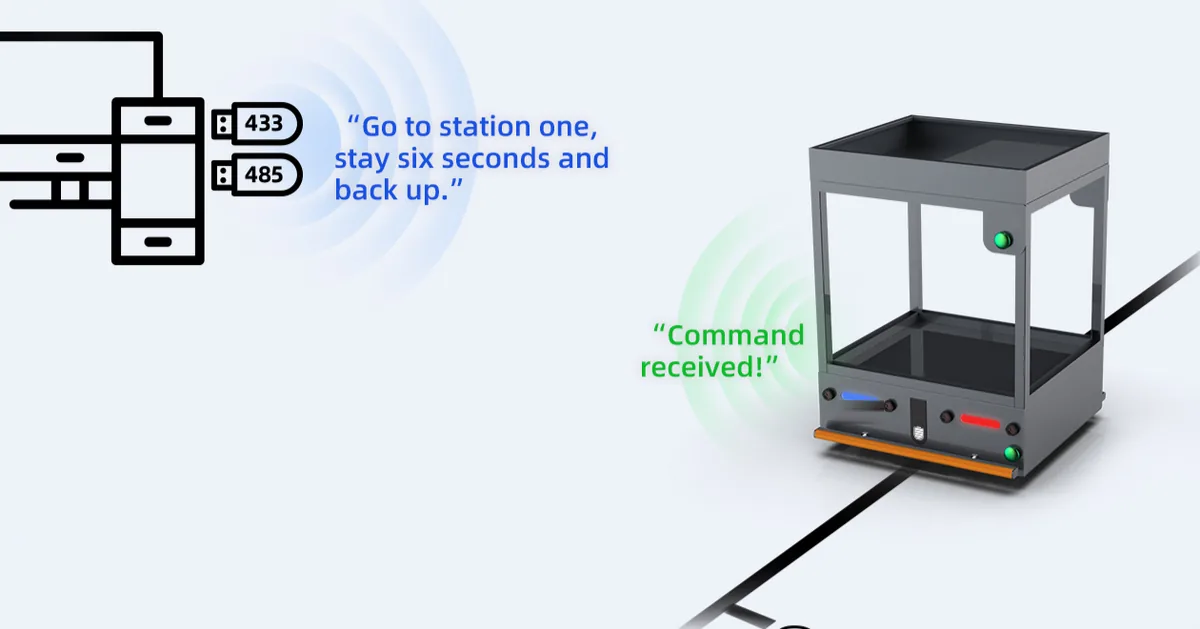
Wireless RS485 — commands from PLC or host
A PLC or host computer sends forward, reverse, stop, speed and station commands over wireless RS485. The robot reports status periodically or on request, so it can be tied into conveyors, automatic doors or a warehouse system
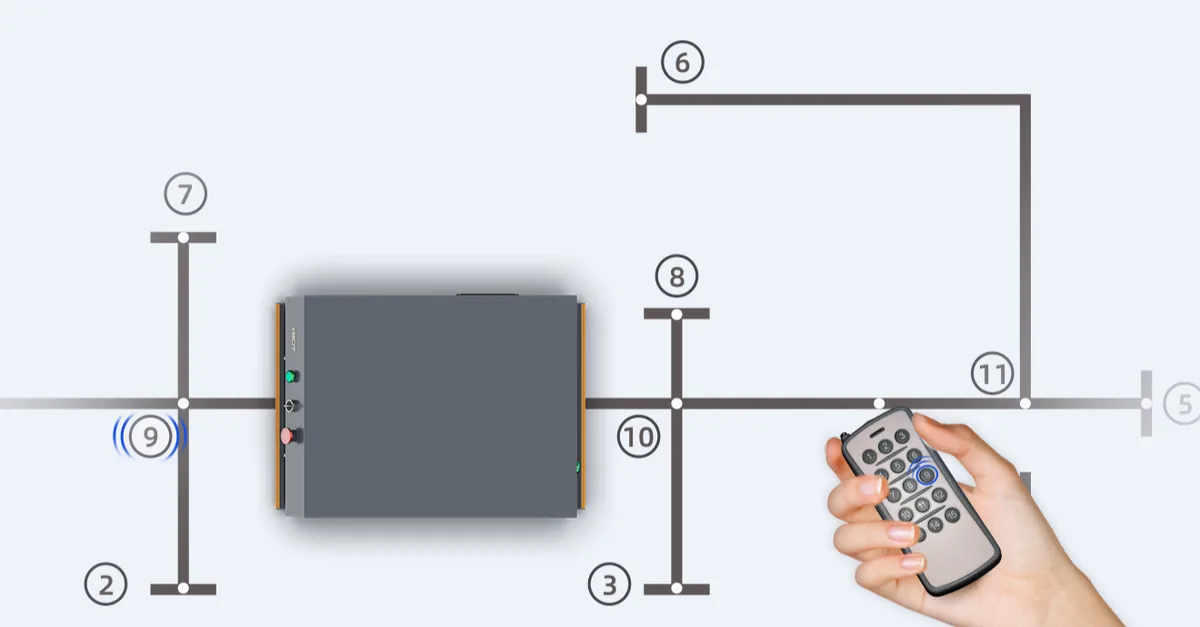
Branch path — several routes on one map
Lay a main tape line with branches to each station. The robot picks its route from the 15-key remote, RS485 or Mission Mode, so one store can feed several lines without separate tracks
- •Available from 100 kg up (M100 M200 M300 M600 M1000)
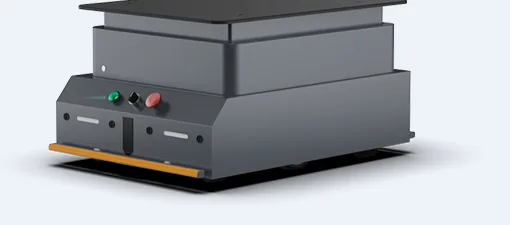
Lifting unit — slide under a rack and carry it away
An electric lifting unit with 50 mm stroke lets the robot slide under a rack or cart, lift it and deliver it automatically. Four control modes: buttons on the robot or remote · lift/lower sequences per station in Mission Mode · manual + automatic with the 18-key remote · or reading lift/lower commands from the station itself
- •Available from 200 kg up
- •M200: lift unit 650 × 530 × 135 mm, ≤ 200 kg
- •M600: lift unit 680 × 680 mm, ≤ 600 kg
- •With 150–200 kg loads, leave more than 2 minutes between lifts so the motor can cool
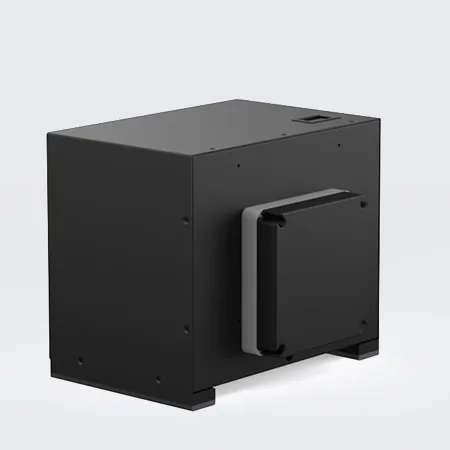
Wireless charging — park and it charges
A receiver plate on the robot and a transmitter at the stop. Park within 20–40 mm and charging starts with no cable, at 5 or 10 A and over 80% efficiency. Suited to lines that run continuously with a regular rest point
Shared accessories
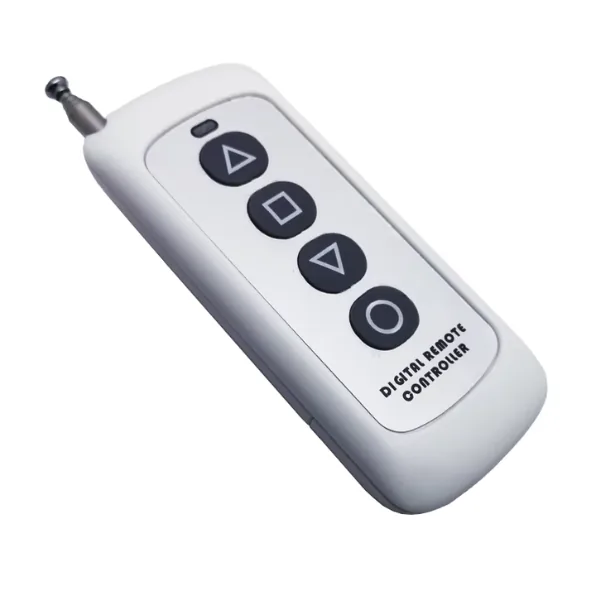
Lift / lower / forward / back for models with a lifting unit
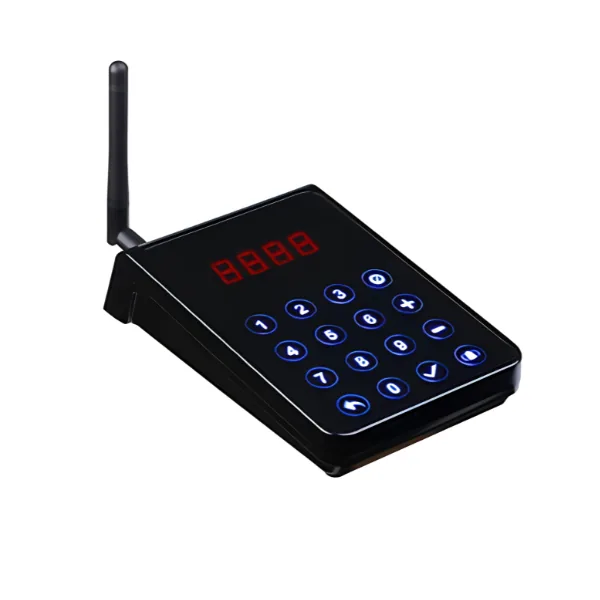
Call the robot from a destination station; shows the station number on its display
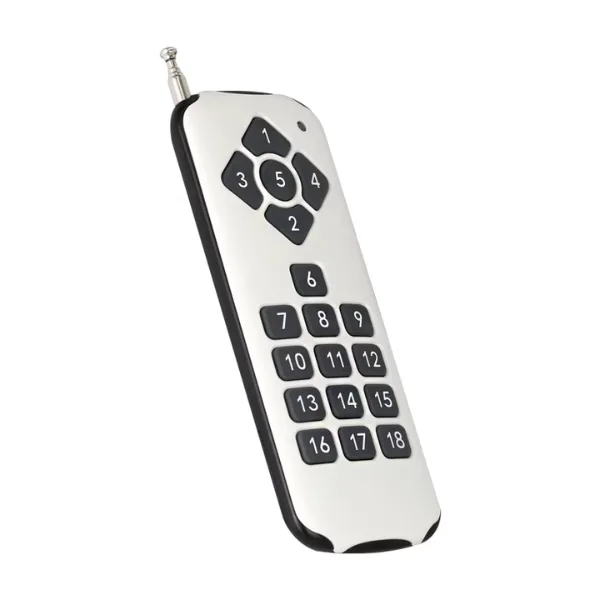
Select stations and command lift/lower in manual + automatic mode
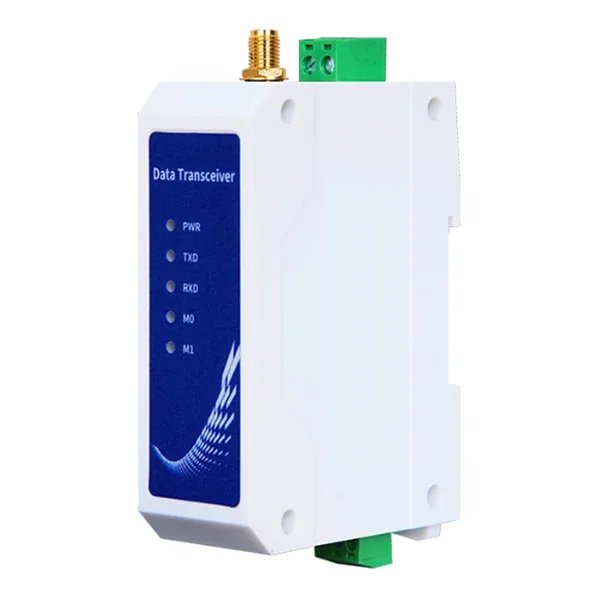
Wireless transceiver for linking a PLC or host computer
Which model supports what
| Mode | AGV-M5050 kg | AGV-M50R50 kg | AGV-M100100 kg | AGV-M200200 kg | AGV-M300300 kg | AGV-M600600 kg | AGV-M10001000 kg |
|---|---|---|---|---|---|---|---|
| Standard | ✓ | ✓ | ✓ | ✓ | ✓ | ✓ | ✓ |
| Station Task | ✓ | ✓ | ✓ | ✓ | ✓ | ✓ | ✓ |
| 3-key remote | ○ | ○ | ○ | ○ | ○ | ○ | ○ |
| Designated stop (15-key remote) | ○ | ○ | ○ | ○ | ○ | ○ | ○ |
| Wireless RS485 (PLC) | ○ | ○ | ○ | ○ | ○ | ○ | ○ |
| Branch path | — | — | ○ | ○ | ○ | ○ | ○ |
| Lifting unit | — | — | — | ○ | ○ | ○ | ○ |
| Wireless charging | ○ | ○ | ○ | ○ | ○ | ○ | ○ |
Every option (○) is charged on top of the standard rent; pricing depends on model, quantity and site — ask our sales team, or tick the options you want in the quote form
Start with a free site survey
No commitment
Send us a layout or photos of your site. Our engineers will estimate unit count, routes and monthly rent within two working days